YouTubers
Scripts, voiceovers, thumbnails and video from one dashboard.

 Alternatives · 2026





 One payment · No API keys · 7-day money-back

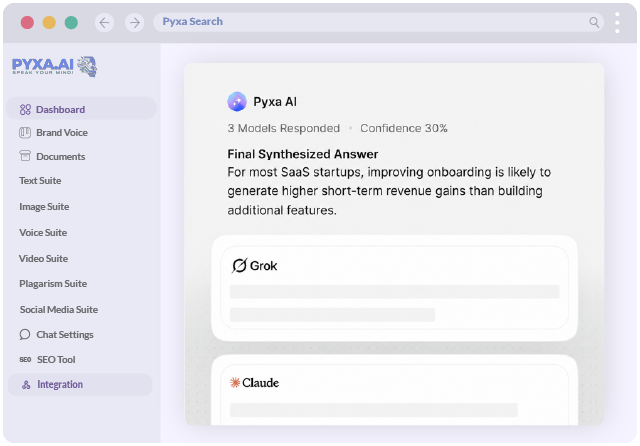
Every model you would otherwise pay for separately
ChatGPTClaudeGeminiGrok DeepSeek
 PerplexityMidjourney
 Nano Banana
 Flux
 Ideogram
 Imagen 4
 VeoKling
 Luma
 WanHeyGen
 ElevenLabsChatGPTClaudeGeminiGrokDeepSeekPerplexityMidjourneyNano BananaFluxIdeogramImagen 4VeoKlingLumaWanHeyGenElevenLabs
HeyGen Creator at $29 per month compared with one Pyxa payment.
| Plan | Price | What you get |
|---|---|---|
| Creator | $29/mo | 600 credits, 1080p export, no HeyGen branding, 700+ stock video avatars, custom video avatar, 30-minute videos |
| Pyxa AI Master Creator | $49.99 once | Lifetime access to text, image, video and voice tools with leading AI models in one dashboard. New models added at no extra cost. |
Monthly price × months vs Pyxa's one-time price. Taxes excluded.
The best HeyGen alternative for most solo creators is Pyxa AI, because it puts avatars, voice cloning, video models and social publishing in one dashboard for one payment. For corporate training, Synthesia or Colossyan fit better. For cheap talking-head clips, D-ID has the lowest entry price. The right pick depends on who you make videos for.
Before comparing, decide which of these jobs matters most to you:
Prices below come from each company's official pricing page, checked on 2026-11-24. Plans change often, so confirm before you pay. For HeyGen's full plan list see our HeyGen pricing guide; this page does not repeat that table.
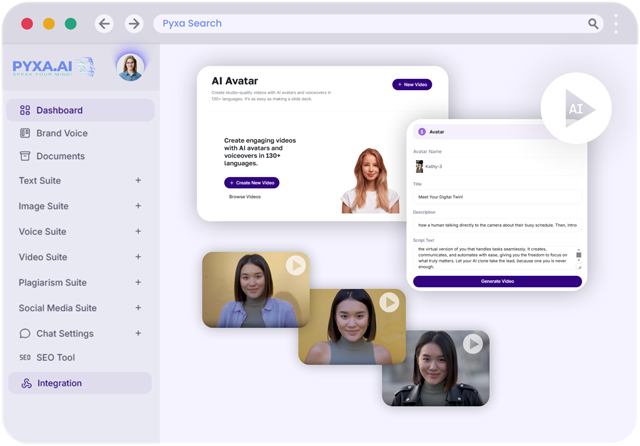
Pyxa AI is not a dedicated avatar studio. It is one dashboard where the avatar is only one tool. That is the point: most creators need an avatar, a voice, some generated video and a way to publish, and HeyGen covers only the first part.
Here is what Pyxa lists for that workflow:
The pricing model is the other difference. HeyGen charges monthly. Pyxa charges once: Master Creator is $49.99, Ultimate Creator is $99.99 and Premium Creator is $149.99, all lifetime, with no monthly fees, no daily caps and no API keys. New models are added to your existing plan at no extra cost, and there is a 7-day money-back guarantee.
Who should skip it: teams that need a polished, shared avatar studio with dozens of languages and approval workflows. Pyxa is built for individual creators and small brands, and it is an independent platform, not affiliated with HeyGen or any model provider.
Synthesia is the closest like-for-like rival to HeyGen. Its official pricing page lists a free Basic plan, Starter at $19 per month billed monthly ($14 per month billed yearly), Pro at $89 per month ($44 billed yearly) and Team at $99 per month ($59 billed yearly), plus custom Enterprise. Starter lists 125+ avatars; Pro and Team list 180+. All plans list 140+ languages and voices.
It suits training, onboarding and compliance videos, where a team needs editors and guests in one workspace. Team lists up to 10 editors and unlimited guests. The trade-off is that credits are monthly, and the cheapest paid plan is limited to one editor and three guests. We compare the two directly in HeyGen vs Synthesia and break down costs in Synthesia pricing.
Colossyan describes its product as AI video for training and enablement content. Its official pricing page lists a free Starter plan (20 minutes a month with its NEO model, 1 editor seat), Professional at $59 per month (30 minutes a month with NEO, 3 editor seats) and custom Enterprise with unlimited minutes.
It is a sensible pick if your videos are courses and onboarding modules and you want custom avatars (the page lists 20 on Professional). It is a weak pick for social creators: the minute limits are small for daily posting, and it does not publish to your channels.
D-ID has the lowest entry price in this group. Its official Studio pricing page lists a free trial (3 minutes), Lite at $4.70 per month (billed yearly at $56), Pro at $16 per month ($191 billed yearly) and Advanced at $108 per month ($1,293 billed yearly), plus custom Enterprise. Lite includes 10 minutes a month and 2 video avatars. Pro includes 15 minutes a month, 3 personal avatars and 1 voice clone.
That makes D-ID a fair choice for short clips, outreach videos or testing. The catch is volume: 10 to 15 minutes a month runs out quickly if you publish often. Hour One is another name you will see in these lists, but we could not confirm its plans on its official pricing page today, so we are not ranking it.
An honest alternatives list should say when to stay. HeyGen's official pricing page lists 700+ stock video avatars on paid plans, videos up to 30 minutes on Creator and up to 60 minutes on Business, 1080p export on Creator and 4K on Pro, and a custom video avatar built from your own likeness and voice. Business lists 5 custom avatars.
If your workflow is long, avatar-led videos, such as full lessons or product walkthroughs, and you want one specialist tool with a large stock library, HeyGen is hard to beat. Pyxa's AI Avatar is one tool inside a wider dashboard, and Pyxa does not state a maximum video length, so test it on your own script during the 7-day money-back window before you cancel anything.
HeyGen's Creator plan is $29 per month. Over a year that is $348, and the bill keeps running. That is the cost to weigh against a one-time payment, and the full breakdown is on our HeyGen pricing page.
If you want a best HeyGen alternative that is also a cheaper alternative to HeyGen over time, the lifetime model is what changes the math. A monthly plan is always rented. Pyxa's AI avatar video generator sits beside the voice, video and social tools, so there are no extra subscriptions to stack. You can also see wider options on our visual creation tools overview.
Switch if you make content for your own channels or clients, you already pay for separate voice or video tools, and you are tired of a fixed monthly bill. Pyxa also includes text, images, social scheduling, chatbots and SEO tools, so a single payment can replace several subscriptions.
Do not switch if your whole job is a large library of avatar-led videos and you rely on HeyGen's stock avatars and long videos. In that case, keep HeyGen for those projects and use Pyxa for the rest.
Pick Ultimate Creator at $99.99 if you want 2 Social Media Agents and premium support. Master Creator at $49.99 is enough to try the avatar and voice tools.
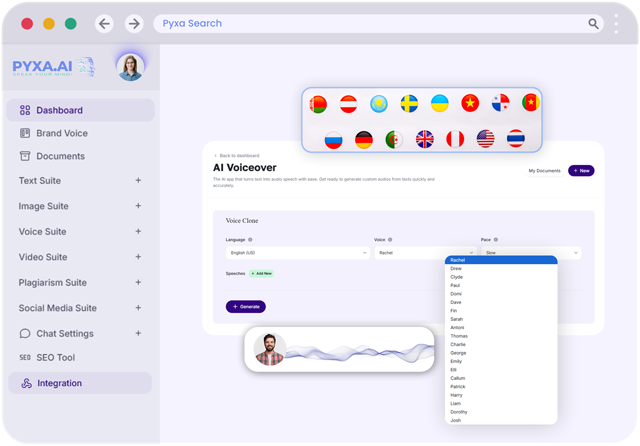
Any AI avatar video generator ends up as a stack: one subscription for avatars, another for voice, a third for generated video, and a scheduler to post it. That stack is where monthly costs add up, and where a lifetime plan helps most. Pyxa's own AI Voiceover and Voice Clone cover the voice, and the social media suite covers the posting.
Specialist tools still make sense when you need their depth, such as Synthesia's team workspaces or Colossyan's training focus. The practical rule is simple: if you are a team producing training content, pay for a specialist. If you are one person or a small brand producing content for your own channels, a single lifetime dashboard is usually the more economical choice.
Switching costs time, so run a short test first. Take one real script you have already made in HeyGen and rebuild it in the tool you are considering. Compare the following:
With Pyxa you can run that test inside the 7-day money-back guarantee. With a monthly tool, the test costs you a month. Either way, keep your HeyGen account until the new videos look as good to your audience as the old ones.
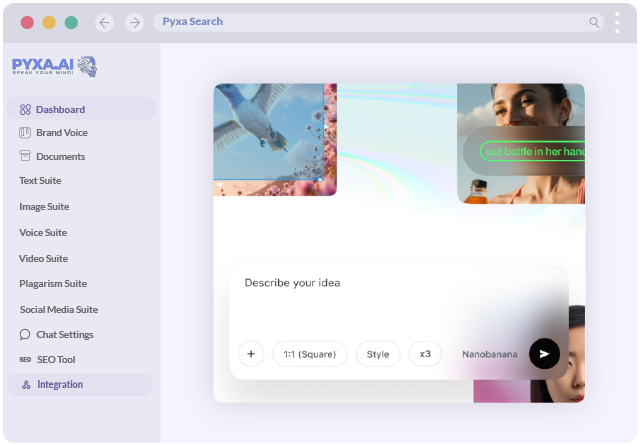
Real screens from the Pyxa app. Pick a feature to see it.
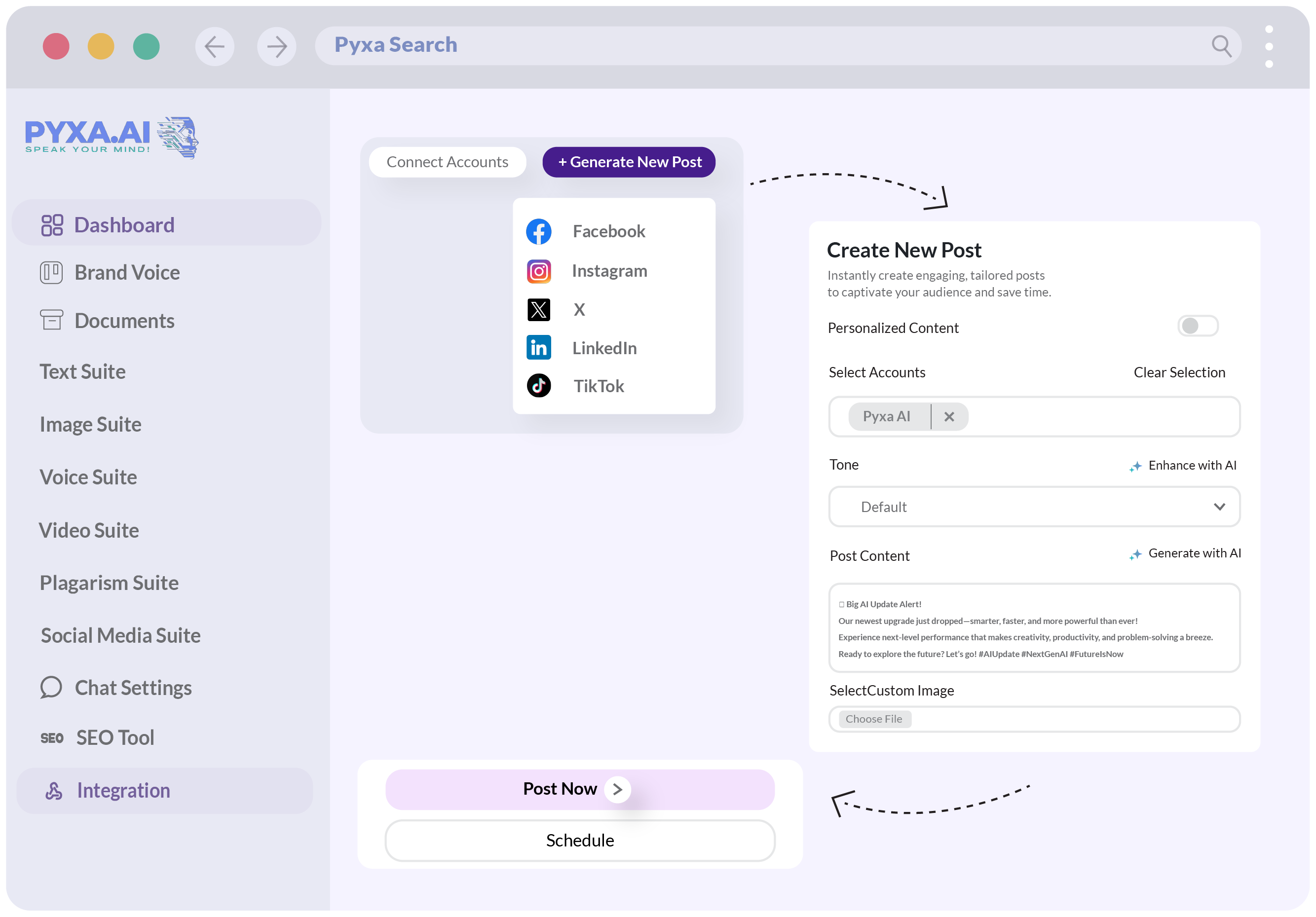
Fair comparison. HeyGen figures from its official pricing page, 2026-11-24.
| HeyGen | Pyxa AI | |
|---|---|---|
| Payment model | Monthly subscription | One-time lifetime payment, $49.99 to $149.99 |
| Entry paid plan | Creator, $29/mo | Master Creator, $49.99 once |
| Stock avatars | 700+ on paid plans | AI Avatar and Kling Avatar tools |
| Voice cloning | Custom avatar with your own voice | Voice Clone tool |
| Video models | Avatar-focused | Veo 3.1, Kling AI 3.0, Luma AI |
| Max video length | 30 min on Creator, 60 min on Business | Not stated; test on your own script |
| Publishing | Not listed on pricing page | Post and schedule to Instagram, TikTok, YouTube, LinkedIn and more |
| Other tools | Video focused | Text, images, voiceovers, chatbots, SEO tools |
| New models | See HeyGen's terms | Added to your plan at no extra cost |
Ultimate Creator at $99.99 once suits most people. Choose Premium for more Skills and Social Media Agents.
Paste a script, pick a voice or clone your own, and compare the result with your current HeyGen videos.
Use Veo 3.1, Kling AI 3.0 or Luma for clips, then schedule everything to your socials. The 7-day money-back window lets you decide.
Scripts, voiceovers, thumbnails and video from one dashboard.

Short videos and posts for 5+ platforms in your brand voice.

Product shots that turn into video ads.
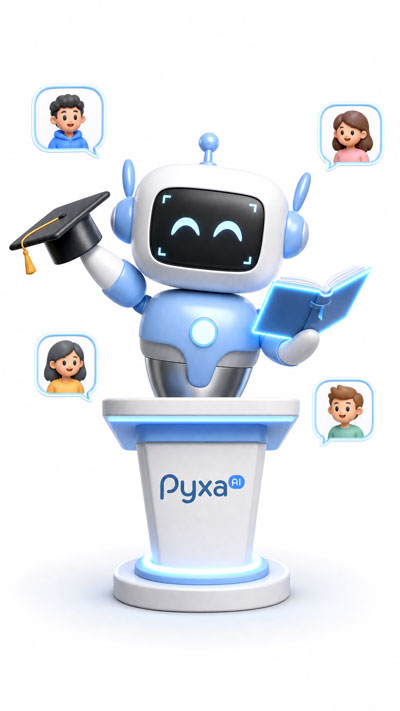
Lesson videos, promo graphics and a chatbot for student questions.
Lifetime pricingNo monthly fees, no daily caps, no API keys. New models are added to your plan at no extra cost.
Still unsure? Every plan has a 7-day money-back guarantee.
Get Pyxa Ultimate Creator for $99.99 once, with no daily caps, no API keys and a 7-day money-back guarantee.