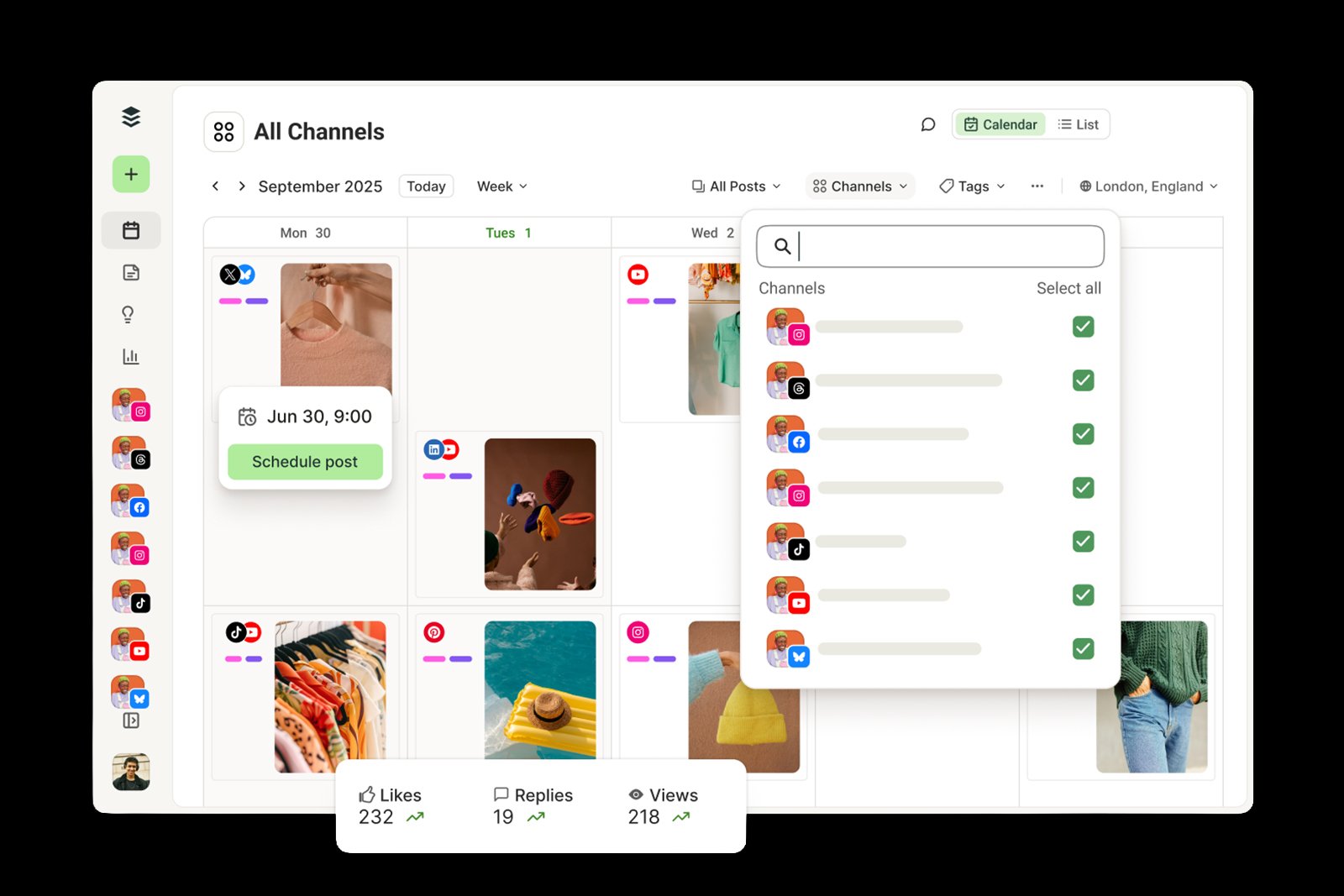
Manage Your Content With A Smart Calendar
235,252
People manage their socials
10,942,810
Posts published last month
Maximum
Social platforms supported
- Tool Overview
Handle Your Social Media With Synergy
Stop guessing what is posted, what is pending, and what is missing
It brings every social media workflow into one Platform
- Management
Manage Your Content With A Smart Calendar
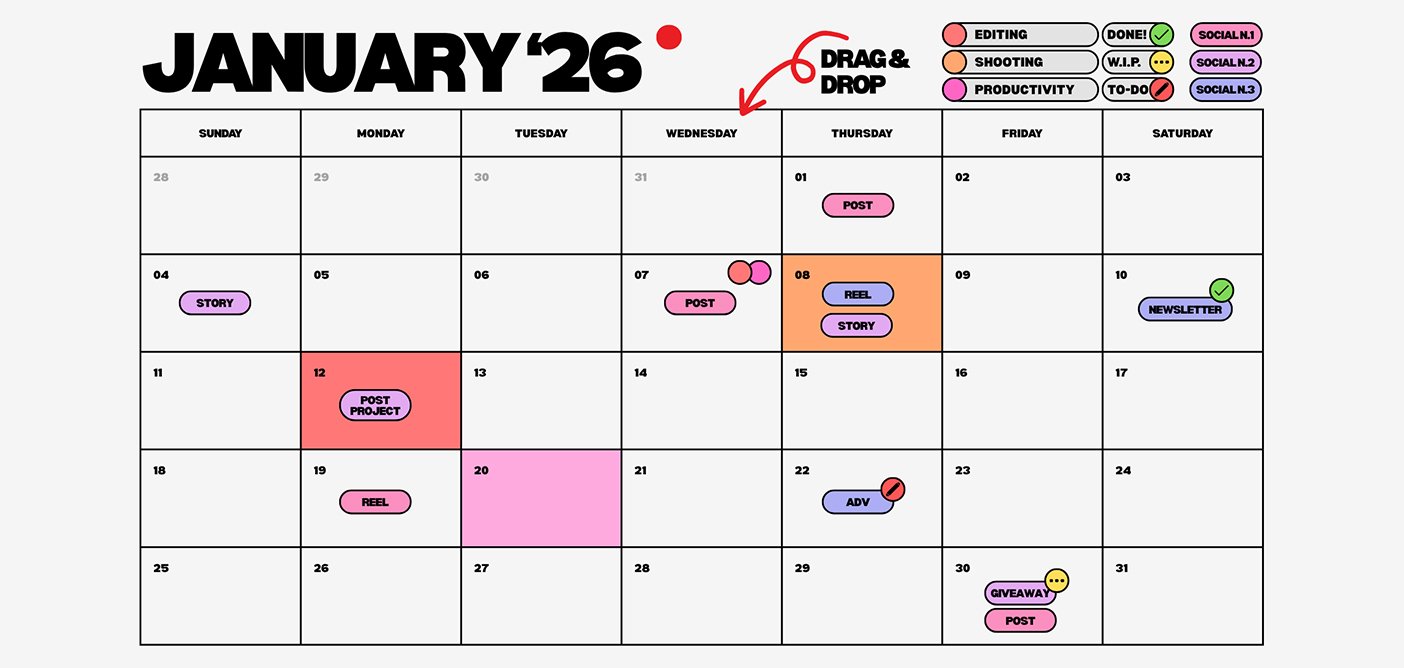
View all your scheduled and published social posts in one simple calendar so you can plan, organise, and keep your content flow steady.
- See every scheduled and published post across all platforms
- Plan weeks or months of content from one organised visual
- Keep your entire content rhythm steady, and consistent
- Visibility
One calendar, every platform visible
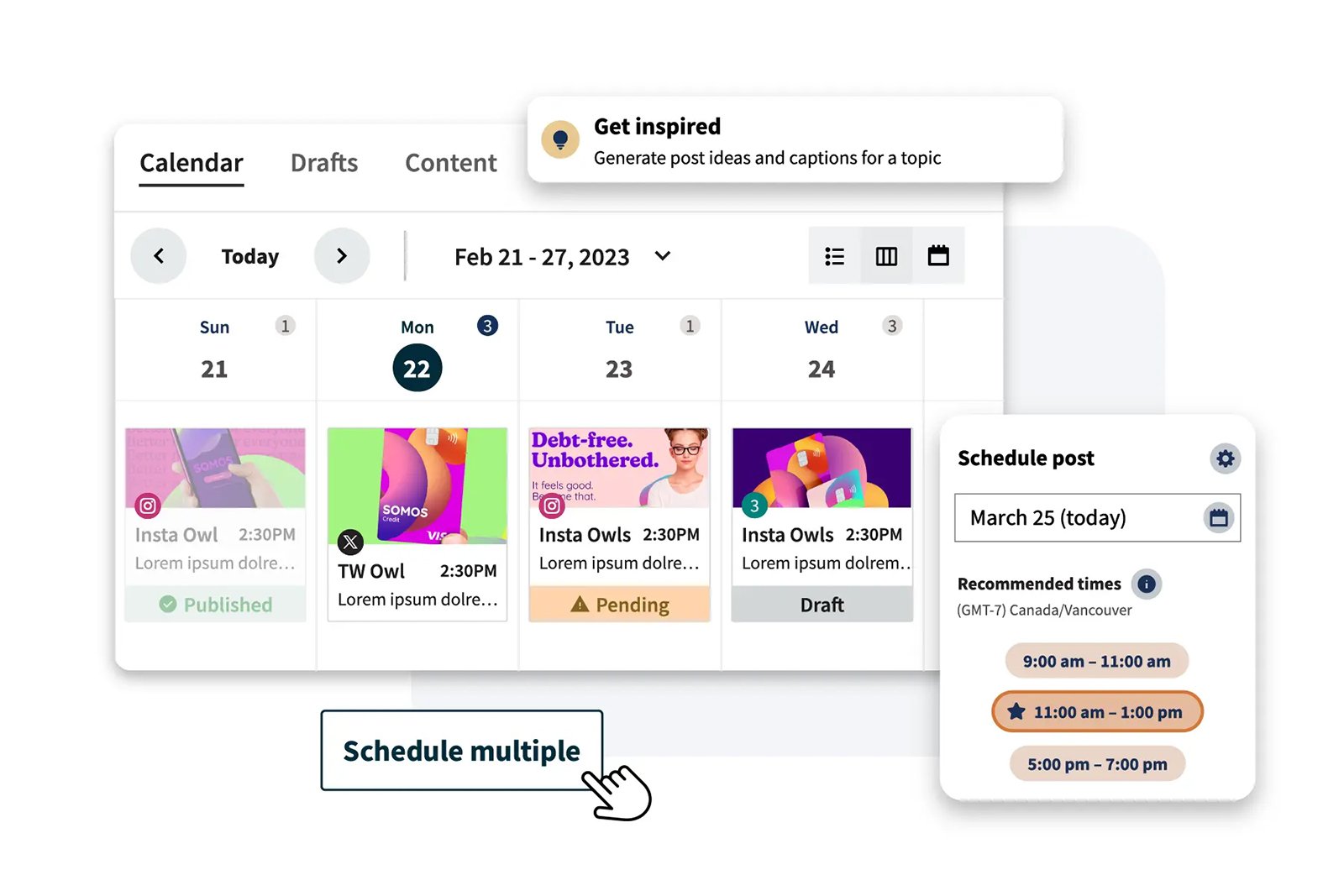
See your scheduled content for every connected account inside a single monthly view, Instagram’s Reels sitting beside LinkedIn’s articles and more
- Unified monthly view showing all 8 platforms' content in one place
- Scheduled and published posts displayed clearly side by side
- No need to check eight separate apps to know what's happening
- Planning
Plan it visually, time it perfectly
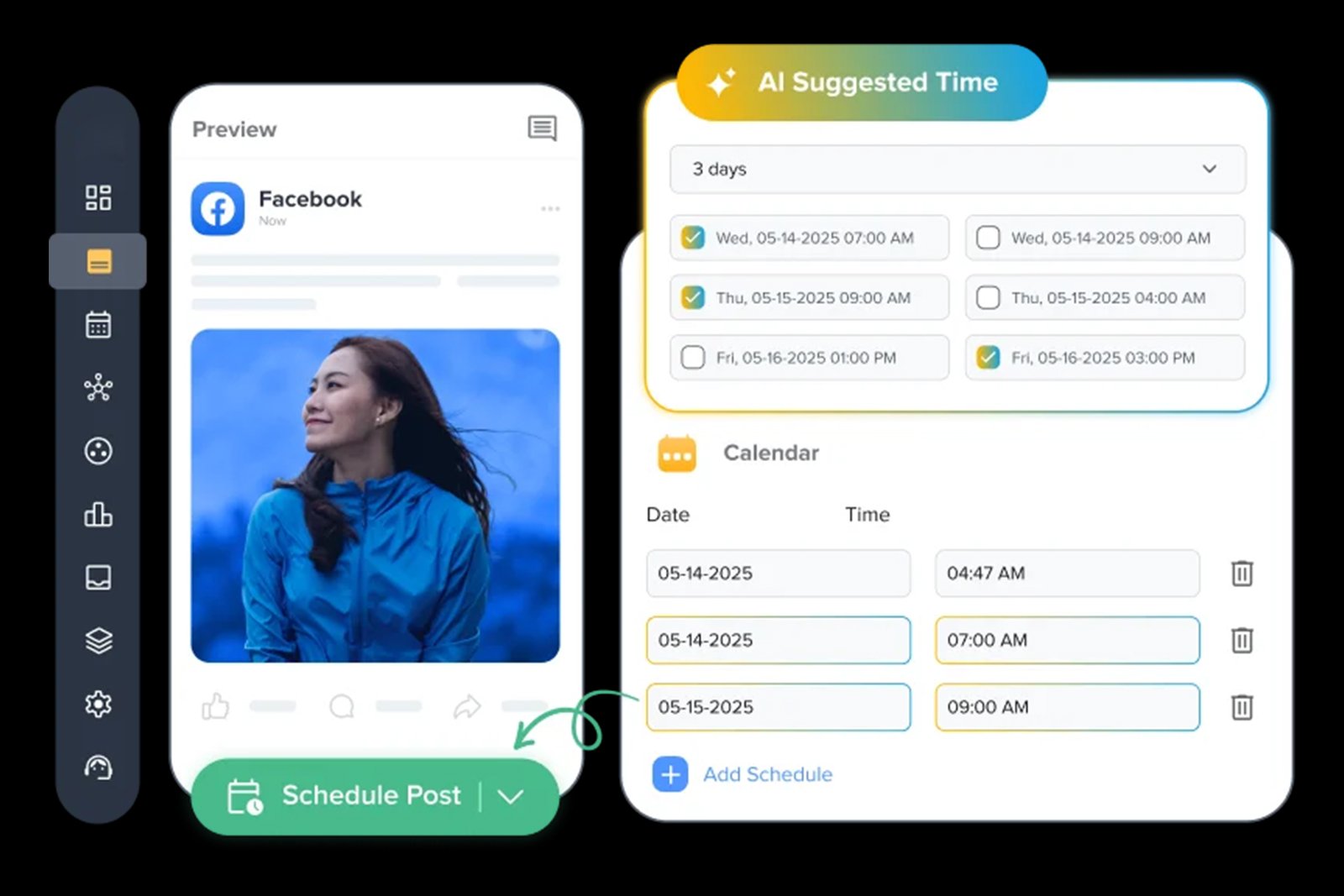
See every scheduled post mapped against AI-detected optimal posting windows for your specific audience, not generic best practices, but your real follower behaviour
- Audience-specific optimal posting windows displayed directly
- Drag-and-drop rescheduling lets you shift posts to better time slots
- Bulk upload via CSV or RSS feed to populate an entire month
- Synergy
Every calendar entry stays engaged
The AI monitors every comment, DM, and mention tied to your scheduled and published posts across all connected platforms in a seamless and efficient manner
- Sentiment-aware reply generation applied automatically
- Custom escalation to human rules for sensitive client
- Multi-lingual reply support across 40+ languages
- Outcomes
See the calendar, then see the results
Unified analytics across every connected platform with AI-written weekly summaries. Cross-reference your content calendar against real performance data
- Cross-platform unified performance view linked directly to calendar
- AI-generated insight summaries showing your best schedule
- One-click PDF reports combining your calendar activity
- Time-saving
Save Every Minute
The average social media manager spends hours every week toggling between platforms just to confirm what’s scheduled and what’s missing
- See every scheduled and published post across every platform
- Spot and fill content gaps before your audience ever notices
- Drag-and-drop reorganisation replaces manual rescheduling
- How it Works?
From Scattered Posting to
Seamless Visibility
Every step replaces clear guesswork
Open Your Unified Calendar
Launch your dashboard and instantly see a full monthly view containing every scheduled and published post
Review What's Queued
Distinguish scheduled posts from already-published content instantly. Click into any day to see exact process
Spot Gaps and Fill Them
Notice a quiet week before your audience does. Identify empty days in your calendar and immediately drop in a new post
- Seamless Working
Built for results, not just features
Every capability inside Content Calendar was engineered around one outcome
total visibility over your entire social presence
@yourbrand
- Connected & Active
- Feed Posts
- Stories
- Reels
- DMs
TikTok
@yourbrand
- Connected & Active
- Videos
- Duets
- Auto-captions
- Trending sounds
@yourbrand
- Connected & Active
- Feed Posts
- Stories
- Reels
- DMs
@yourbrand
- Connected & Active
- Feed Posts
- Stories
- Reels
- DMs
@yourbrand
- Connected & Active
- Feed Posts
- Stories
- Reels
- DMs
YouTube
@yourbrand
- Connected & Active
- Feed Posts
- Stories
- Reels
- DMs
@yourbrand
- Connected & Active
- Feed Posts
- Stories
- Reels
- DMs
Threads
@yourbrand
- Connected & Active
- Videos
- Duets
- Auto-captions
- Trending sounds
Connect your favorite accounts
Connect every channel in minutes
OAuth-powered connections no API keys, no developer setup, no technical friction. Link all 8 platforms to your Content Calendar in under 5 minutes and see every scheduled post in one place from day one
Seamlessly connect every platform
Do what is best for your entire workflow
- POWERFUL FEATURES
Build Something that Helps You Post Seamlessly
From brainstorming to scheduling this claendar helps you in every aspect
of formulating your social strategy
- Time Saving
Save Time Get back 15+ hours
The normal social media personal spends hours every week juggling between platforms just to confirm what's scheduled and what's missing. Content Calendar collapses that entire audit into a single glance
See every scheduled and published post across all platforms
Spot and fill content gaps before your audience ever notices
Weekly content rhythm visible at a glance
- Cost Saving
One lifetime price. Zero monthly bills
A dedicated content planner or project management add-on for social scheduling costs $40 or more every month. Pyxa AI's Content Calendar replaces that recurring expense with a single one-time lifetime purchase
Replaces standalone calendar tools, planners, and scheduling
No per-platform fees, view and manage all platforms
Unlimited scheduled posts and unlimited calendar entries
- POWERFUL FEATURES
Stay Consistent, Automatically
With your full content flow visible at all times, maintaining a steady, professional posting rhythm becomes effortless, not because you are working harder, but because nothing can hide from you anymore
Streamline your social media potential
Manege everything in a professional way
From start to beginning be immaculate and be efficient
One Payment vs. Never-Ending Subscriptions
| Category | Cancel These | Monthly Cost |
|
|---|---|---|---|
| AI Text Gen |

ChatGPT Claude Gemini Perplexity DeepSeek Grok |
$60/mo | |
| AI Image Gen |
MidJourney GPT Image Ideogram Flux Schnell Nano Banana Imagen4 |
$30/mo | |
| AI Video Gen |
VEO Luma Kling HeyGen Byte Dance Runway Wan Infinitalk |

$30/mo | |
| Voice & Audio |
ElevenLabs Play.ht Murf |

$49/mo | |
| Social Media |
Buffer HootSuite Later |
$40/mo | |
| Image Editing |
Canva Remove.bg |
$22/mo | |
| Custom Chatbots |

Chatbase CustomGPT Dante AI |
$39/mo | |
| WP Publishing |

JetPack Blog2Social |
$29/mo | |
|
Total Value
Combined monthly
|
$259/mo ($3,108/yr) |
$49.99
Lifetime
Save $3,058/yr
|
Why People
Trust Us
Good buy
Frequently asked questions
What exactly does the Content Calendar show me?
Content Calendar gives you a single, unified monthly view of every scheduled and published post across all your connected social platforms. Instead of checking eight separate apps to know what’s happening, you see your entire content rhythm, past, present, and future, laid out clearly in one organised screen.
Can I see posts from all platforms in one calendar view?
Yes. Every connected platform’s content appears together in the same calendar, colour-coded by platform for instant recognition. Instagram, TikTok, LinkedIn, X, Facebook, YouTube, Pinterest, and Threads all show up side by side, so you never have to guess what’s happening where.
Does the calendar show both scheduled and already-published posts?
Yes. Content Calendar clearly distinguishes between posts that are still queued and posts that have already gone live. This gives you complete visibility into your past performance and future plans at the same time, all within the same clean monthly view.
Can I reschedule a post directly from the calendar?
Absolutely. Content Calendar supports drag-and-drop rescheduling, so you can move any scheduled post to a different day or time simply by dragging it to a new slot. There is no need to open a separate editing screen or navigate away from the calendar to make the change.
How does Content Calendar help me spot gaps in my posting schedule?
Because every platform’s content is visible in one place, empty days become immediately obvious. Instead of discovering a four-day silence after your engagement has already dropped, you catch the gap while there is still time to fill it with a new post, a brainstormed idea, or a duplicated top performer.
Is Content Calendar included in every Pyxa AI Lifetime Plan?
Yes, Content Calendar is fully included in every Pyxa AI Lifetime Plan, Master Creator, Ultimate Creator, and Premium Creator. You pay once and gain permanent, unlimited access to the full unified calendar view across all connected platforms, with no additional monthly charges, ever.
Can I plan an entire month of content in advance using the calendar?
Yes. Content Calendar is built specifically for forward planning. You can bulk schedule posts, upload content via CSV or RSS feed, and visually map out an entire month’s posting rhythm in one sitting, then simply adjust individual entries as needed as the month unfolds.
Can my whole team view and manage the same content calendar?
Yes. All Pyxa AI Lifetime Plans include full team access at no additional per-seat cost. Your entire team can view the same unified calendar, review what’s scheduled, reorganise entries, and stay aligned on your collective content strategy, all from a single shared source of truth.
Does the calendar integrate with performance analytics?
Yes. Content Calendar links directly with Pyxa’s Social Media Analytics, allowing you to cross-reference your posting schedule against real engagement data. This helps you identify which days, times, and content types consistently perform best, so future planning becomes smarter with every cycle.
What if I am not satisfied with Content Calendar after purchasing?
Every Pyxa AI purchase comes with a full 7-day money-back guarantee. If Content Calendar, or any part of the Pyxa platform, does not meet your expectations within the first 7 days, simply contact the support team for a complete refund, no questions asked.
This Offer is for a
Limited Time
Unlock your business potential by letting the AI work and generate money for you.
Credits are renewed annually at no additional cost for all plans