Everyday AI users
Chat with any model and switch in one click, without four separate subscriptions.



 Comparison · 2026
Every model you would otherwise pay for separately
ChatGPT Claude
 Gemini
 Grok
 DeepSeekPerplexity
 Midjourney
 Nano Banana
 Flux
 Ideogram
 Imagen 4
 Veo
 Kling
 Luma
 Wan
 HeyGen
 ElevenLabsChatGPTClaudeGeminiGrokDeepSeekPerplexityMidjourneyNano BananaFluxIdeogramImagen 4VeoKlingLumaWanHeyGenElevenLabsAnswer engine with citations
ChatGPT: Assistant for writing, code and files
Pyxa: Many models in one dashboard
Pro $20/mo ($17/mo billed annually)ChatGPT: Plus $20/mo
Pyxa: From $49.99 once
Inline citations in every answerChatGPT: Expanded deep research on Plus
Pyxa: Perplexity model, AI Webchat and AI Council
Basic draftingChatGPT: Projects, custom GPTs, templates
Pyxa: Text generator plus 150+ templates
Computer access on ProChatGPT: Codex on every plan
Pyxa: AI Code Generator, switch models in one click
10x uploads on ProChatGPT: Expanded uploads and projects
Pyxa: AI File Chat for PDFs, sheets and slides
Prices as listed on the official pricing pages on 2026-11-25. Pyxa is one payment, with no monthly fees ever.
| Plan | Price | What you get |
|---|---|---|
| Perplexity Pro | $20/mo ($17/mo billed annually) | Inline citations, Pro Search, 10x file uploads, access to several top models |
| ChatGPT Plus | $20/mo | GPT-6.2 reasoning, expanded uploads, image creation, deep research, Codex, custom GPTs |
| Pyxa AI Master Creator | $49.99 once | Lifetime access to text, image, video and voice tools with leading AI models in one dashboard. New models added at no extra cost. |
Both plans combined: $20 + $20 per month times months vs Pyxa's one-time price. Taxes excluded.
Here is the short version of Perplexity vs ChatGPT, task by task. Perplexity is built around search: every answer comes with inline citations. ChatGPT is built around doing the work: writing, code, files, images, custom GPTs and scheduled tasks. Each row is explained below.
If you only want one, pick by the job you do most. If you do research and production work in the same week, you will end up wanting both, which is where the cost starts to add up.
For quick, checkable answers, Perplexity or ChatGPT for research is usually Perplexity. Its official pricing page says every answer includes inline citations that show where each claim comes from, and Pro and Max add premium data sources for finance and market work, such as PitchBook, Statista and S&P Capital IQ. You read the answer and click the source in one step.
ChatGPT Plus lists expanded deep research, expanded memory and context, and projects. It is stronger when research is one step of a longer job: gather facts, build an outline, draft the report, then revise it in the same thread. Citations exist, but the product is organized around the conversation, not around the source list.
Both can be wrong. Perplexity can cite a page that does not actually support the sentence, and ChatGPT can state a claim with no source at all. For anything that matters, open the source yourself.
Verdict: Perplexity for finding and verifying facts. ChatGPT for turning the facts into a finished document.
For writing, ChatGPT is the better default. Plus lists projects, scheduled tasks and custom GPTs, which help when you write in the same voice or format every week. You can keep instructions, reuse a custom GPT for each client, and ask for ten headline variations in one pass.
Perplexity can draft text, and its Pro plan lists the option to create documents, but its strength is answering a question with sources. A good pattern is to research in Perplexity, paste the sourced notes into ChatGPT, and write there.
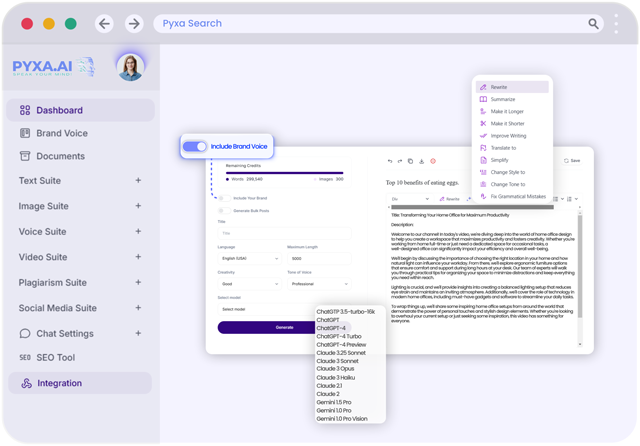
If you want a single place with more than one writing model, Pyxa includes an AI Text Generator with GPT models, Claude, Grok and others, plus 150+ specialized templates for blogs, social posts, emails and marketing copy. See Multi-Model AI.
Verdict: ChatGPT for writing. Perplexity for the research behind it.
On coding, ChatGPT has the clearer offer. Its official pricing page lists Codex access on Free, expanded Codex usage on Plus and longer Codex sessions on Pro. That means a coding agent is part of the product, not an add-on you have to find.
Perplexity lists Computer access on its Pro and Max plans, and its Pro plan gives access to several top models. It is useful for looking up an error message, finding the right library or reading documentation with sources. For writing and debugging a whole feature, most developers will reach for ChatGPT or a dedicated coding tool.
Pyxa has an AI Code Generator and lets you switch models with one click, so you can try the same coding prompt on more than one model. It is not a replacement for a full coding agent inside your editor, so keep one if that is how you work.
Verdict: ChatGPT for coding. Perplexity for looking things up while you code.
Both tools take uploads. Perplexity says Pro includes 10x the file uploads of the free plan, and its help center lists PDFs, CSVs, audio, video and images. ChatGPT Plus lists expanded uploads, expanded memory and context, and projects, so a folder of files and instructions can live in one place.
In practice, ask Perplexity when you want an answer to a question about a document and a pointer to where it came from. Ask ChatGPT when you want the document rewritten, summarized into a brief or turned into a table.
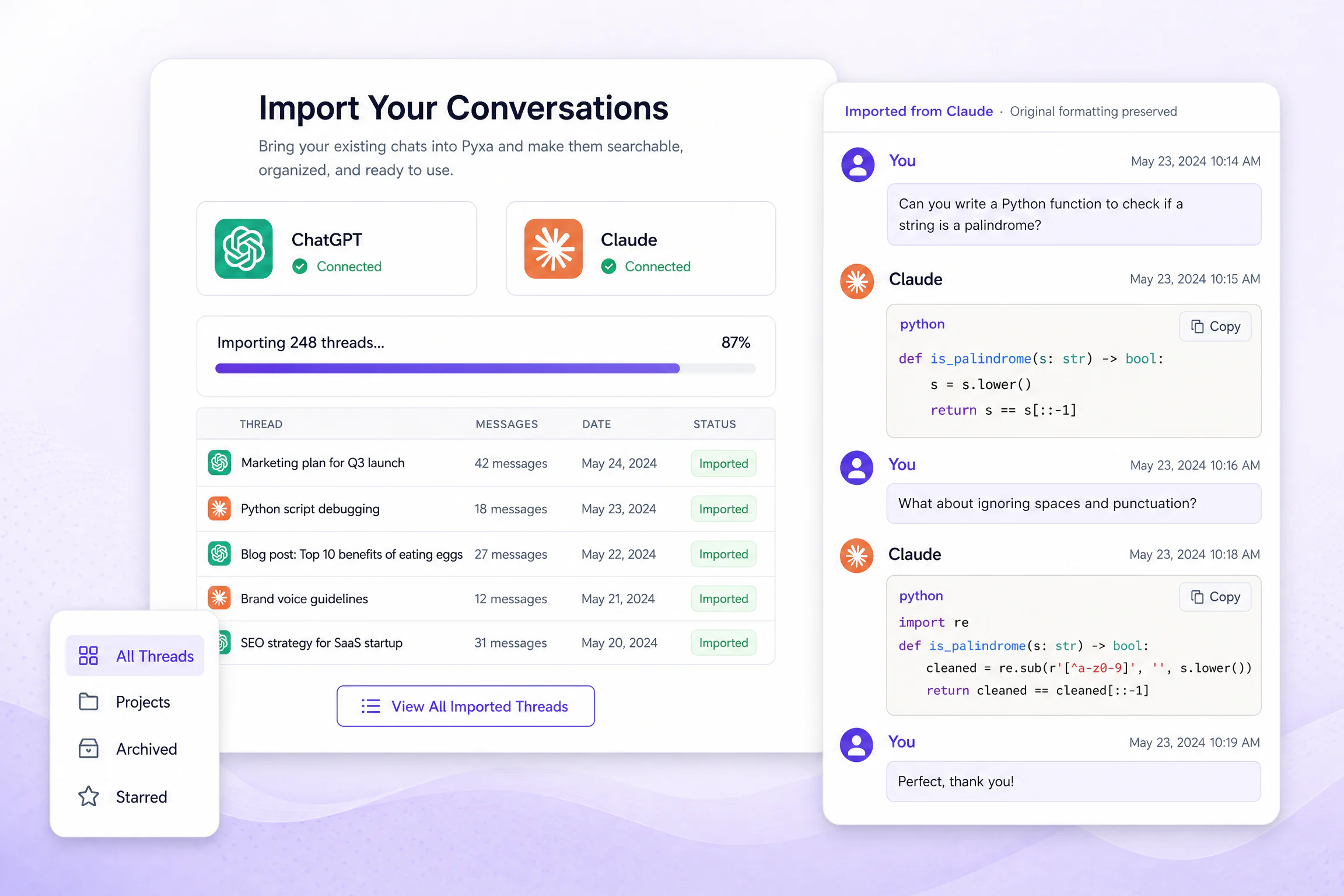
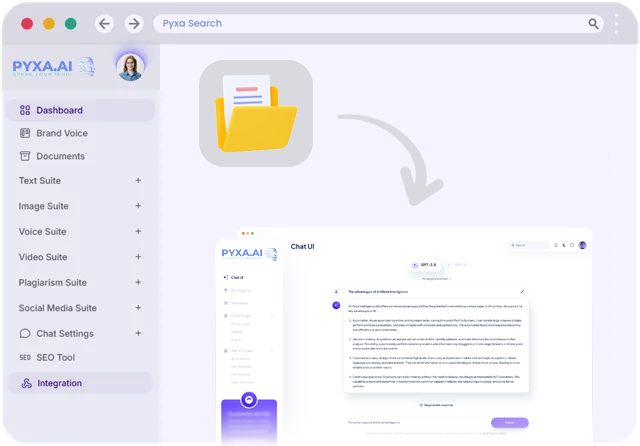
Pyxa has AI File Chat for PDFs, spreadsheets and presentations, so you can ask questions about a file without leaving the dashboard. If you already have a long history in ChatGPT, you can export it and upload it through Import Conversations and keep going.
Verdict: ChatGPT for working on files. Perplexity for asking sourced questions about them.
ChatGPT lists image creation on every plan, with more complex and accurate images on Plus and unlimited, faster creation on its Pro tier. Perplexity lists asset generation, limited on Free and 10x on Pro and Max. If images are a regular part of your work, ChatGPT is the safer choice.
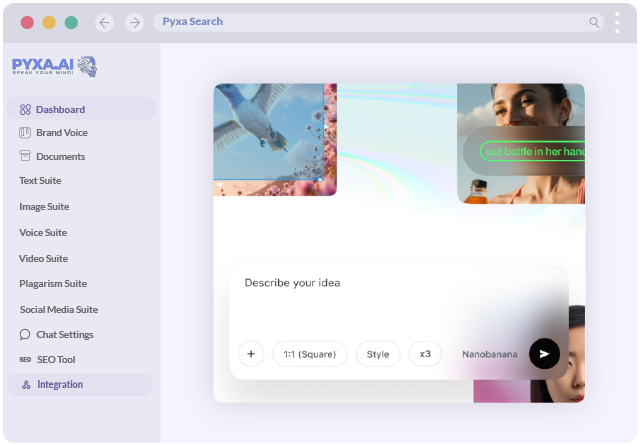
Neither is a full design suite. Pyxa has AI Image Pro with aspect ratios, styles and variations, one-click background removal and an AI Creative Suite with a drag-and-drop editor. Image models named on pyxa.ai include Midjourney, Nano Banana, GPT Image, Imagen 4, Ideogram and Flux Schnell. See the AI Image Generator page.
Verdict: ChatGPT of the two. A dedicated image tool if images are your main job.
Prices below are from the official pages, checked on 2026-11-25. For the details of each plan, see Perplexity Pro price and ChatGPT Plus price.
Perplexity Pro vs ChatGPT Plus comes down to a near tie on price. Perplexity's pricing page shows Pro at $17 per month when billed annually, and its help pages list $20 per month or $200 per year. ChatGPT Plus is $20 per month. ChatGPT also lists Go at $8 per month (which may include ads), Pro from $100 per month, and a free plan with unlimited text chats. Perplexity lists Max at $167 per month billed annually.
Prices change and vary by country and billing period, so check the current pricing before you pay. Taxes are not included.
Used together, Perplexity Pro and ChatGPT Plus cost $40 per month at the monthly rates, or $480 a year.
Pyxa names Perplexity and ChatGPT (GPT 6.1 Sol) among its models, alongside Claude Sonnet 5.5, Gemini 3.8, Grok 4.7 and DeepSeek v4. You switch between models with one click, so the research step and the writing step can happen in the same dashboard. Browse the full model list.
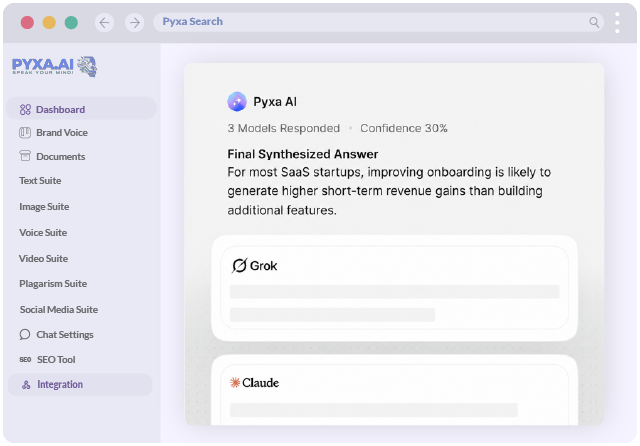
Two more features matter for this comparison. AI Webchat lets you analyze any website, which covers the "read this page and tell me what it says" part of research. AI Council runs several models in parallel, including OpenAI and Gemini models, and gives you a combined view of agreements, disagreements and a consensus answer. That is a practical way to catch a claim one model got wrong.
The honest limits: you use these models inside Pyxa, so you give up some native features of each app, such as ChatGPT's custom GPTs and Perplexity's own search interface. If you rely on one of those daily, keep that one subscription and use Pyxa for the rest.
The cost difference is the point. Pyxa is one payment for lifetime access, with no monthly fees ever, and new models are added to your existing plan for no extra cost. Pyxa is an independent platform that integrates with various AI APIs; it is not affiliated with, endorsed by or sponsored by OpenAI, Perplexity or other AI providers.
Choose Perplexity if most of your day is questions that need sources: market checks, background reading, fact-finding. Choose ChatGPT if most of your day is making things: drafts, code, documents and images. Choose neither subscription if you would rather pay once and switch models as the task changes.
A fair test takes ten minutes. Pick three real tasks from your week, such as a market question, a draft and a spreadsheet clean-up. Run each in both tools, open every cited source, and note which result you would actually send. That beats any benchmark, because your tasks are the ones that matter, and it shows whether a second subscription earns its place.
Compare other tools on the same footing in ChatGPT alternatives and ChatGPT vs Gemini.
Real screens from the Pyxa app. Pick a feature to see it.
Official pages checked 2026-11-25
| Perplexity | ChatGPT | Pyxa AI | |
|---|---|---|---|
| Type | Answer engine with citations | Assistant for writing, code and files | Many models in one dashboard |
| Entry paid price | Pro $20/mo ($17/mo billed annually) | Plus $20/mo | From $49.99 once |
| Research with sources | Inline citations in every answer | Expanded deep research on Plus | Perplexity model, AI Webchat and AI Council |
| Writing | Basic drafting | Projects, custom GPTs, templates | Text generator plus 150+ templates |
| Coding | Computer access on Pro | Codex on every plan | AI Code Generator, switch models in one click |
| Files | 10x uploads on Pro | Expanded uploads and projects | AI File Chat for PDFs, sheets and slides |
| Images | Asset generation, 10x on Pro | Image creation on every plan | AI Image Pro with several image models |
| Using both | Two subscriptions | $40/mo for both | One payment, no monthly fees ever |
Chat with any model and switch in one click, without four separate subscriptions.

Write SEO articles with several models, check plagiarism and publish to WordPress in one click.
Keep a brand voice per client and deliver plagiarism-checked drafts faster.
Ad copy, landing pages, emails and creatives for many clients from one place.
Lifetime pricingNo monthly fees, no daily caps, no API keys. New models are added to your plan at no extra cost.
Still unsure? Every plan has a 7-day money-back guarantee.
One lifetime payment instead of $40 a month. 7-day money-back guarantee.